

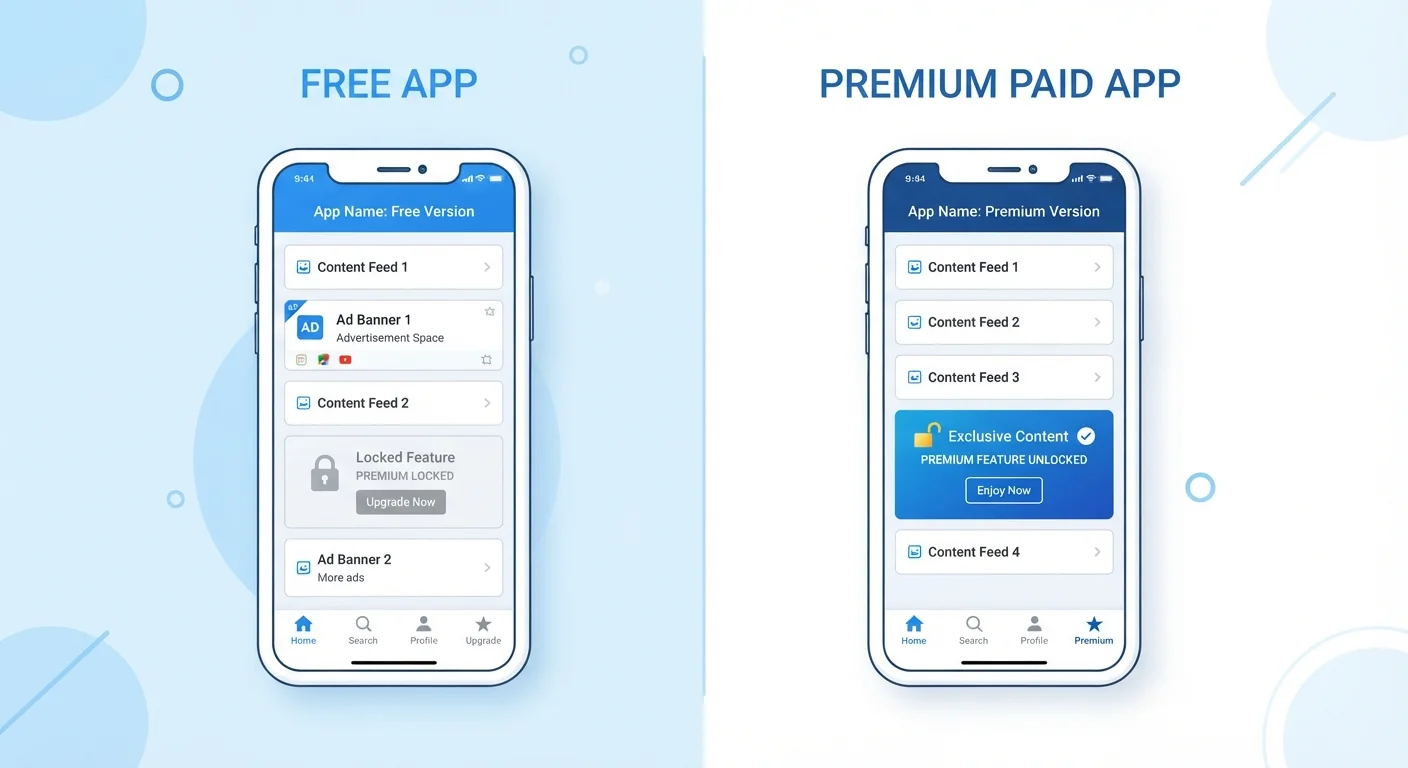
Our Verdict
Free tiers make sense for light or occasional use, but they come with real trade-offs — ads, limited storage, reduced features, and sometimes broader data collection. Paid tiers offer the most value when an app is central to your daily workflow or when privacy and storage matter to you. The decision should be based on how much you actually use the app and whether the limitations genuinely get in your way.
Best suited for readers who use several freemium apps and want a clear framework for deciding when upgrading is worth the cost.
How the Freemium Model Actually Works
The word freemium blends "free" and "premium" — and that tension is built into the design. App developers offer a no-cost entry point to attract users, then monetize through advertising, in-app purchases, or subscription upgrades. Understanding this model helps you recognize what you're actually getting — and what the app developer is getting in return.
Free tiers are not charity. They're a business strategy. In most cases, you're either seeing ads, providing behavioral data that helps the developer sell advertising, or encountering enough friction that upgrading feels worthwhile. None of this is inherently bad, but it's worth knowing before you assume "free" means "complete."
Before installing any app, it helps to understand what data it collects. Our guide on app permissions on your phone explains exactly what each permission grants and how to decide which are reasonable to allow.
"Free" Doesn't Always Mean No Cost
Even when an app charges nothing upfront, the cost may come in the form of ads, data sharing, or limited functionality designed to encourage upgrades. Reviewing an app's privacy policy and terms of service — before signing up — gives you a clearer picture of what the arrangement actually involves. Look specifically for sections on data retention, third-party sharing, and what happens to your content if you stop using the service.
What Free Tiers Typically Restrict
Restrictions vary by category, but several patterns appear across most freemium apps:
- Storage caps: Cloud storage and note-taking apps commonly offer a small free allotment — enough to demonstrate value but not enough for serious use.
- Usage limits: Some tools limit the number of projects, exports, or actions per month. Reaching that ceiling mid-task is a common push toward upgrading.
- Feature locks: Advanced tools — offline access, collaboration features, analytics, automation — are frequently gated behind paid plans.
- Ads: Ad-supported tiers interrupt the experience and, depending on the app's privacy policy, may involve tracking your behavior across sessions.
- Priority or speed: Some services throttle processing speed or customer support responsiveness for free users.
Free tiers often involve data collection trade-offs
Many ad-supported apps collect behavioral data to target advertising. This isn't always obvious from the sign-up screen, so reviewing privacy policies matters.
Usage caps can interrupt tasks at inconvenient moments
Hitting a monthly project or export limit mid-task creates friction by design. These limits are calibrated to make upgrades feel necessary.
Subscription costs accumulate across multiple apps
A few dollars per month per app adds up across a typical app portfolio. Users who upgrade several apps may find recurring costs exceeding what they expected.
Cancellation can affect access to your own data
Some apps restrict or delete data stored in the cloud when a paid subscription lapses. Understanding the cancellation terms before subscribing is essential.
Paid tiers don't guarantee a better product
Paying for an app doesn't eliminate bugs, poor design, or the risk the service shuts down. A subscription is a recurring cost, not a quality guarantee.
What Paid Tiers Genuinely Add
Paying for an app tier isn't always just about removing annoyances. In many categories, paid access unlocks capabilities that meaningfully change what the app can do for you:
- Expanded storage: For cloud backup, photo management, or document sync, paid plans often provide enough space to replace a physical hard drive.
- Offline access: Many productivity and media apps require an active internet connection on free tiers — paid plans often remove that dependency.
- Collaboration and sharing: If you work with others, paid tiers frequently unlock shared workspaces, real-time editing, and permission controls.
- Security and privacy features: Some apps offer end-to-end encryption or advanced privacy settings exclusively at paid levels.
- Customer support: Free users are commonly limited to community forums; paid subscribers typically get direct support channels.
No upfront cost to try the app
Free tiers let you evaluate whether an app fits your needs before committing money. This is especially useful for niche tools you may only use occasionally.
Paid tiers remove ads and interruptions
Ad-free experiences improve focus and often reduce the behavioral tracking that funds ad-supported versions, giving users a cleaner and potentially more private session.
Expanded storage unlocks real utility
For cloud backup, photos, or documents, paid storage tiers can replace physical hardware — a meaningful convenience upgrade for many users.
Collaboration features support team or family use
Paid plans frequently include shared workspaces and permission controls that make apps genuinely useful for households or small teams, not just individuals.
Priority support reduces downtime
When something breaks, paid subscribers typically reach human support faster — a tangible benefit if the app is central to daily work or communication.
If you're evaluating whether a subscription is worth it, our overview of how subscription software works covers licensing models, auto-renewals, and what happens to your data if you cancel.
When Upgrading Makes Sense — and When It Doesn't
The honest answer is: it depends on how you use the app. Here's a practical framework:
Consider paying if: The app is part of your daily routine, free-tier limits interrupt real tasks, you share the app's output with others, or privacy features on paid tiers matter to your situation.
Stick with free if: You use the app occasionally, the restrictions haven't yet affected you, or a comparable alternative without those limits exists. Many users never hit a free tier's ceiling in practice.
~5%
Typical free-to-paid conversion rate
Industry analysis of freemium apps generally finds that around 2–5% of free users convert to paid plans, meaning the model is designed around a large free base subsidizing a small paying one.
$273
Average annual US app subscription spend
According to consumer research firm Sensor Tower, US consumers spent an estimated average of over $270 annually on in-app subscriptions in recent years, underscoring how quickly individual subscriptions compound.
It also pays to check what you're agreeing to before installing. Our checklist on things worth checking before you install any new app walks through developer credibility, permissions, and privacy practices — all relevant whether you're on a free or paid plan.
One more thing to consider: subscription costs stack. A handful of "small" monthly fees can add up quickly. Auditing your active subscriptions periodically is a practical habit, not a drastic measure.
The content on this site is for informational purposes only and is not a substitute for professional advice. Always consult a qualified professional for guidance specific to your situation.