

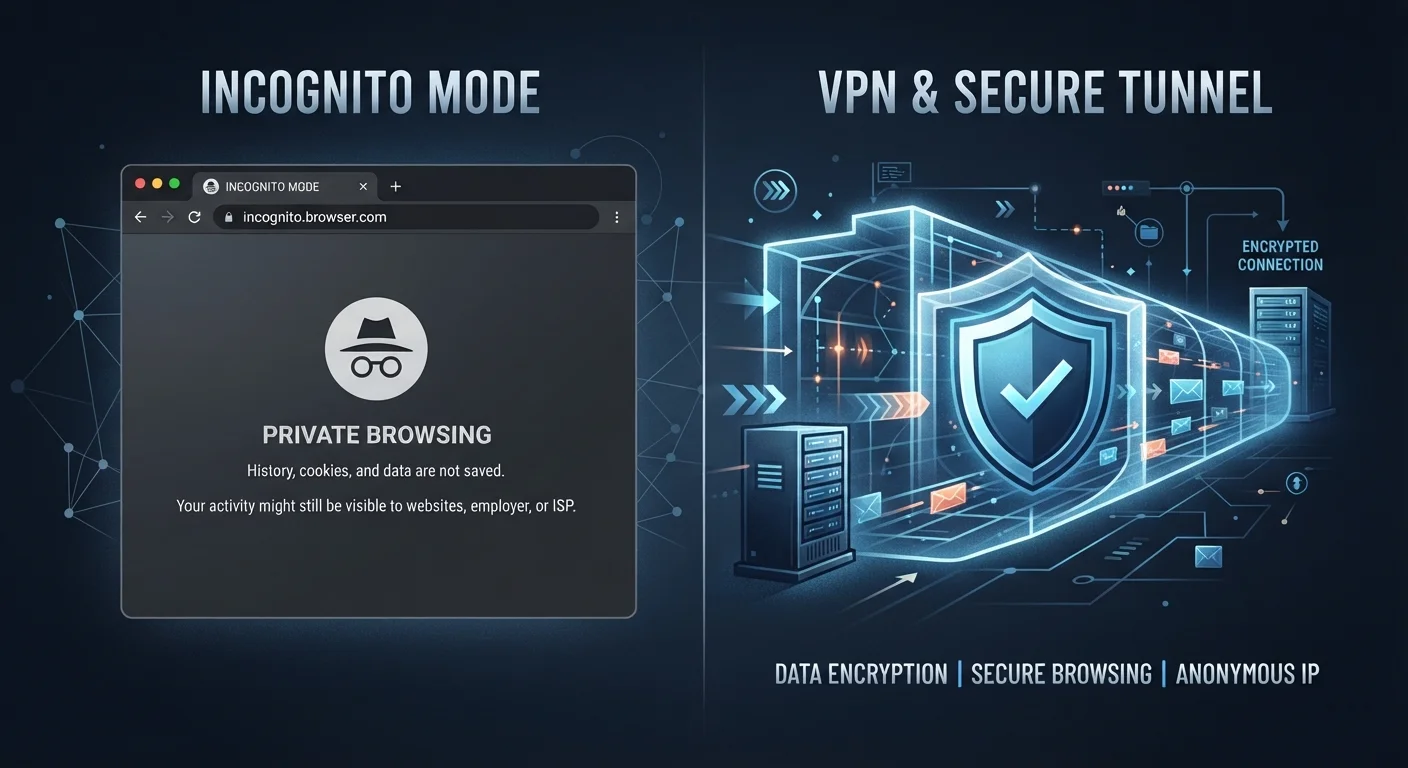
Option A
Private Browsing (Incognito Mode)
The local cleanup tool — what stays on your device.
Best for: Keeping browsing history, cookies, and form data off your local device after a session ends.
Option B
VPN (Virtual Private Network)
The network-level shield — what travels across the internet.
Best for: Encrypting your internet traffic and masking your IP address from your network, ISP, and websites.
What Private Browsing Actually Does
When you open an incognito or private browsing window, your browser agrees to forget. Once that window closes, it discards the session's browsing history, cookies, cached files, and anything you typed into forms. That's genuinely useful — but the scope stops there.
Everything you do during that session is still fully visible to your internet service provider (ISP), your workplace or school network, and any website you visit. Those sites can still log your IP address and track behaviour using techniques like browser fingerprinting. The 'private' in private browsing refers only to what's stored locally on your device.
Common misconceptions about incognito mode persist precisely because the name implies more than it delivers. As our related coverage explains, incognito is a local cleanup tool, not a cloak of invisibility.
What 'Local' Means in This Context
When privacy guides refer to 'local' data, they mean information stored on the physical device you're using — your laptop, phone, or tablet. Incognito mode manages only this local layer. It has no effect on data already transmitted over the network to websites, servers, or your ISP. Think of it as tidying your desk after a meeting, not preventing anyone from listening in during it.
What a VPN Actually Does
A VPN (Virtual Private Network) works at a different layer entirely. When active, it creates an encrypted tunnel between your device and a server operated by the VPN provider. All your internet traffic travels through that tunnel before reaching its destination.
The practical effects are twofold. First, your ISP, network administrator, or anyone monitoring the connection sees only encrypted data — not the sites you visit or content you send. Second, websites you visit see the VPN server's IP address rather than your own, which makes it harder to tie your browsing directly to your physical location or identity.
VPNs are particularly relevant on untrusted networks. Our guide to public Wi-Fi risks outlines when that kind of traffic encryption matters most. That said, a VPN does not prevent the websites you visit from tracking you through cookies or accounts — and your VPN provider itself can see your traffic, so the provider's trustworthiness matters.
~31%
Global VPN usage rate among internet users
According to GlobalWebIndex data cited in various industry reports, roughly a third of internet users globally have used a VPN in a given month, with security and privacy cited as top motivations.
0 bytes
Network traffic hidden by incognito mode
Private browsing affects only local storage — no bytes of outbound traffic are encrypted or hidden from your ISP or network by using incognito mode alone.
Head-to-Head: Where Each Falls Short
The most important thing to understand is that these two tools solve fundamentally different problems. Conflating them — or assuming one substitutes for the other — leaves real gaps in your privacy.
| Criterion | Private Browsing | VPN |
|---|---|---|
| Hides browsing from ISP | No | Yes |
| Hides browsing from network admin | No | Yes |
| Masks your IP address from websites | No | Yes |
| Prevents local history storage | Yes | No |
| Clears cookies after session | Yes | No |
| Encrypts internet traffic | No | Yes |
| Stops website tracking via cookies | Within session only | No |
| Requires additional software | No (built into browser) | Yes |
Neither provides true anonymity. Websites can still identify logged-in users regardless of VPN or incognito status. Advertisers use cross-device tracking and browser fingerprinting that neither tool defeats. For a broader look at how these gaps play out in everyday assumptions, see our piece on online privacy myths that give people a false sense of safety.
Used together, the two tools are complementary: incognito limits local data retention while a VPN shields your traffic from network-level observation. But layering them still doesn't equal invisibility — it just means fewer parties have easy access to your activity.
Choosing the Right Tool for the Situation
The right question isn't 'which is better?' — it's 'what am I actually trying to protect, and from whom?'
- Shared or public device: Incognito mode prevents the next user from seeing your session history. A VPN adds nothing to this specific goal.
- Public or untrusted Wi-Fi: A VPN is the relevant tool. Incognito mode does nothing to protect data travelling across the network.
- ISP monitoring of your home connection: A VPN limits what your ISP can observe. Incognito mode has no effect here.
- Keeping a one-off search off your Google account history: Either ensure you're signed out, or use incognito — a VPN won't stop a logged-in account from recording searches.
If you're working through your broader privacy habits, the Internet Privacy Audit checklist is a practical next step. And if you're newer to thinking about digital privacy overall, our starter framework covers the foundational concepts clearly.
Knowing exactly what each tool does — and doesn't do — puts you in a much stronger position than assuming either one covers all the bases.
The content on this site is for informational purposes only and is not a substitute for professional advice. Always consult a qualified professional for guidance specific to your situation.