

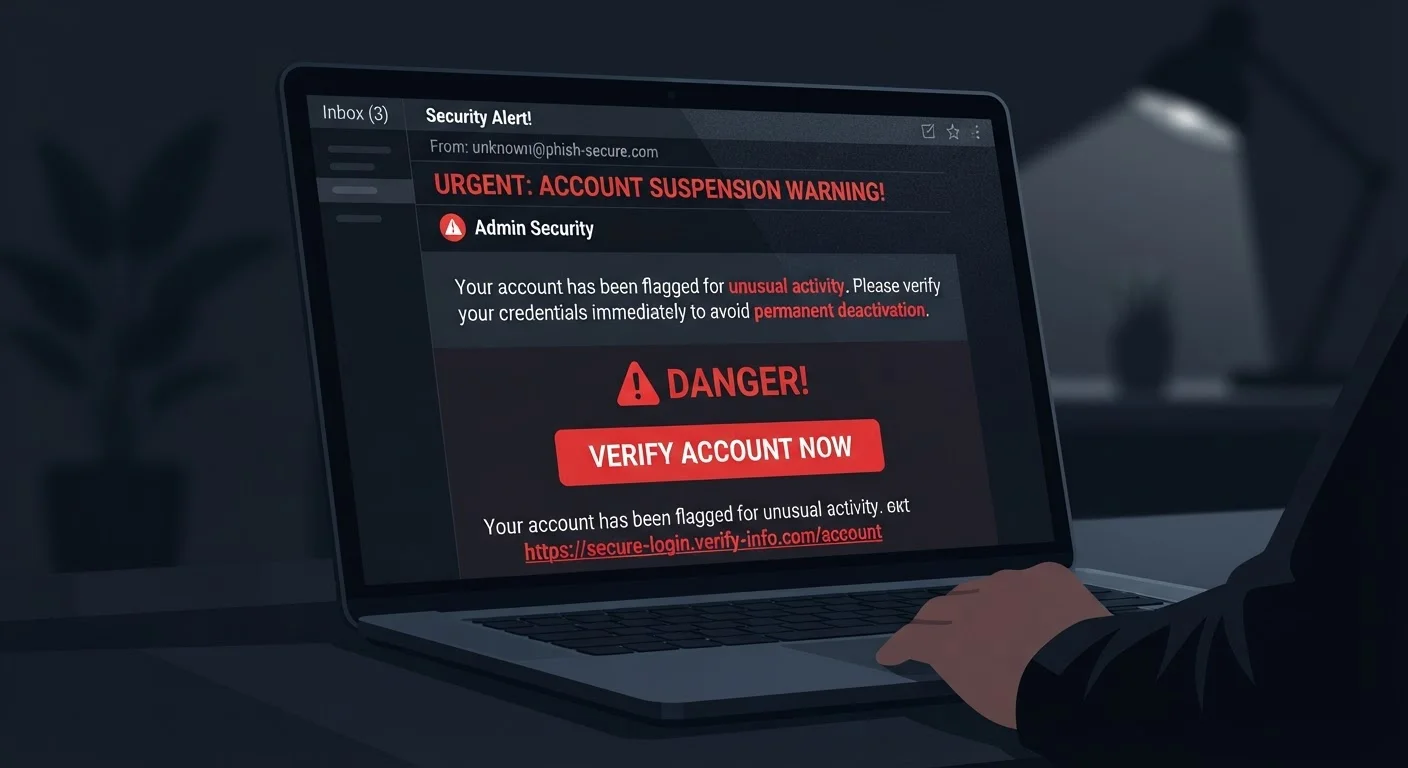
What Makes a Phishing Email So Convincing
Phishing emails succeed because they mimic the look, tone, and structure of legitimate messages — often from banks, delivery services, or tech platforms you actually use. Attackers invest real effort in copying logos, matching color schemes, and crafting subject lines that trigger urgency without triggering suspicion.
The core manipulation is psychological, not technical. A message warning that your account will be suspended, a package is undeliverable, or an unauthorized login was detected is designed to make you act before you think. That emotional pressure is one of the most reliable signals that something is wrong.
Understanding how these messages are built is the single most effective defense. Once you recognize the anatomy, the disguise starts to fall apart. See also how common security gaps persist even when people believe they're being careful.
| Most common phishing delivery method | Email (APWG Phishing Activity Trends Report) |
| Typical urgency tactic used | Account suspension or security alert |
| Most impersonated sector | Financial services and technology companies (APWG Phishing Activity Trends Report) |
| Key human vulnerability exploited | Fear and urgency — acting before thinking |
| US reporting contact (FTC) | reportfraud.ftc.gov (Federal Trade Commission) |
The Six Parts of a Phishing Email — And What to Check
Every phishing email has identifiable components. Here's where to look and what to look for:
- Sender address: The display name may say "PayPal Support," but the actual email address — visible when you click or hover — often reveals an unrelated domain like
no-reply@paypa1-alerts.net. A single character substitution or an unfamiliar domain suffix is a clear red flag. - Subject line: Phrases like "Urgent Action Required," "Your Account Has Been Compromised," or "Final Notice" are crafted to bypass deliberate thinking. Legitimate organizations rarely open with high-stakes urgency.
- Salutation: Phishing messages frequently use generic greetings — "Dear Customer" or "Dear User" — because attackers don't know your name. Personalized messages aren't automatically safe, but impersonal ones deserve extra scrutiny.
- Body content: Look for mismatched fonts, awkward phrasing, odd spacing, or subtle grammar errors. These can indicate a hastily assembled or machine-translated message. Legitimate corporate communications typically go through editorial review.
- Links and buttons: Never click a link before hovering over it to reveal the true destination URL. Attackers use redirect chains, URL shorteners, or lookalike domains (e.g.,
secure-amazon-login.com) to disguise where you're actually going. - Attachments: Unexpected attachments — especially
.zip,.exe,.docm, or.pdffiles — should be treated as suspect. Malicious files are commonly disguised as invoices, shipping labels, or HR documents.
Strong account hygiene complements this awareness. Passwords alone aren't sufficient protection — two-factor authentication adds a critical layer that phishing attempts often can't bypass even when credentials are stolen.
Phishing
A type of cyberattack in which fraudulent messages — typically emails — impersonate trusted entities to trick recipients into revealing sensitive information or clicking malicious links.
Lookalike domain
A web address that closely resembles a legitimate domain but contains subtle differences (e.g., extra characters, misspellings) designed to deceive users into thinking they're on a trusted site.
Spear phishing
A targeted form of phishing in which attackers personalize messages using specific details about the recipient — such as their name, employer, or recent activity — to increase believability.
Two-factor authentication (2FA)
A security method requiring two separate forms of verification before granting account access, typically a password plus a one-time code sent to a phone or generated by an app.
URL redirect
A technique that sends a user from one web address to another, often used by attackers to disguise the true destination of a malicious link.
What to Do When You Suspect a Phishing Message
If something feels off, treat that instinct as data. Do not click any links, reply to the sender, or open attachments while you're still uncertain.
Instead, navigate directly to the organization's official website by typing the address into your browser, or call their published customer service number. If the message claims to be from your bank or a government agency, contact that institution independently to verify whether the communication is real.
Report the message. In the US, you can forward phishing emails to the Anti-Phishing Working Group at reportphishing@apwg.org, and to the FTC at reportfraud.ftc.gov. Most email providers also have a built-in "report phishing" option that helps protect other users.
Finally, delete the message. If you did click a link or enter credentials, change your passwords immediately, enable two-factor authentication, and monitor relevant accounts closely. Being aware of common privacy myths — like assuming you'd always recognize an attack — can help recalibrate your risk picture going forward.
When You're Not Sure — Verify Separately
If a message claims to be from a company you use, don't use any contact information provided within that message. Look up the organization's official website or phone number independently and reach out from there. This single habit defeats a large percentage of phishing attempts, even sophisticated ones.
The content on this site is for informational purposes only and is not a substitute for professional advice. Always consult a qualified professional for guidance specific to your situation.