

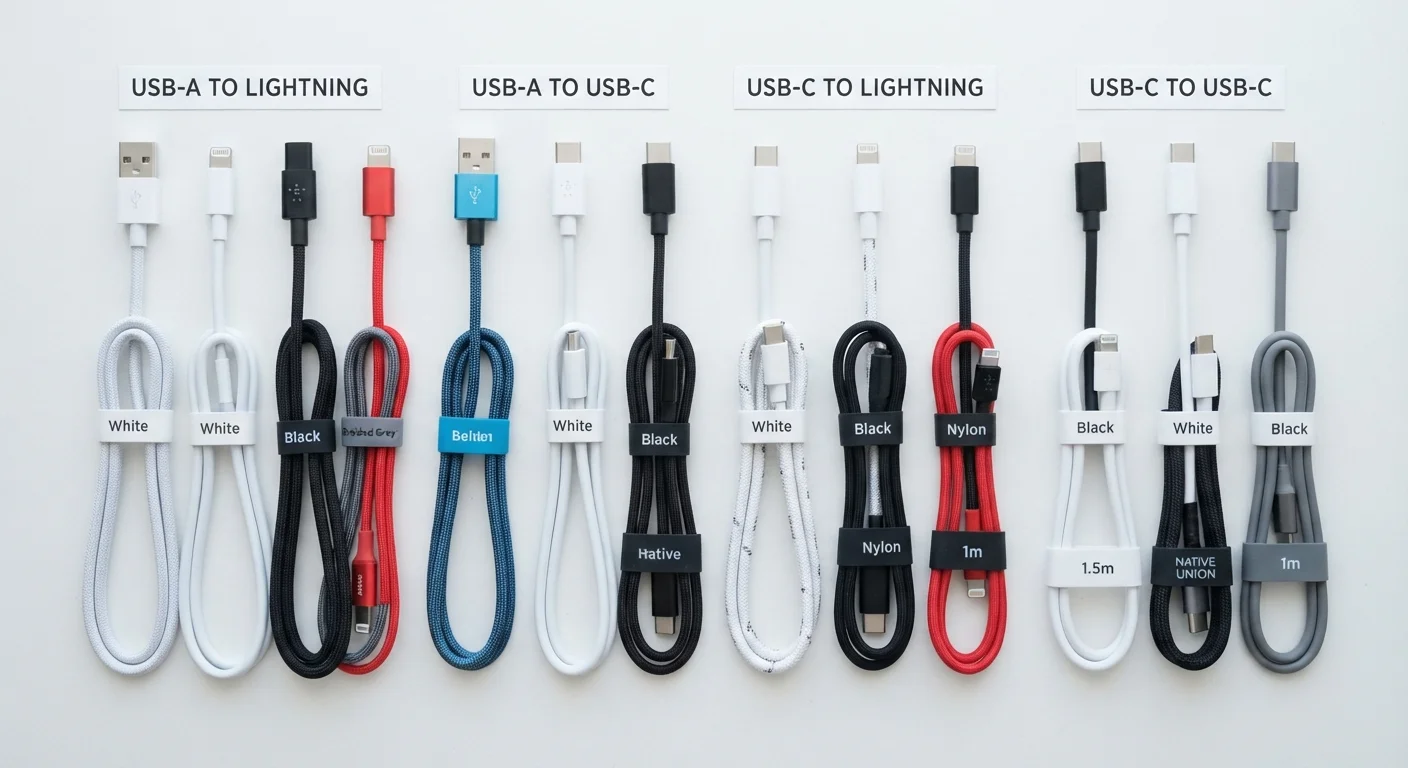
The Major Connector Types Explained
Walk into any drawer full of cables and you'll likely find at least three different connector shapes. Each was designed for specific devices and eras of technology, and knowing what distinguishes them saves time, frustration, and money.
| USB-C Max Power (USB PD 3.1) | Up to 240W (USB Implementers Forum specification) |
| MagSafe iPhone Max Wattage | 15W (Apple product documentation) |
| Lightning Max Standard Wattage | 12W (standard); higher with USB-C adapters (Apple product documentation) |
| USB-A 2.0 Max Current | 0.5A (2.5W) (USB Implementers Forum) |
| USB-A 3.0 Max Current | 0.9A (4.5W) (USB Implementers Forum) |
| Qi2 Wireless Charging Max | 15W (Wireless Power Consortium, Qi2 standard) |
USB-A
The rectangular plug most people picture when they think of a USB cable. USB-A ports are found on wall chargers, laptops, and power banks. It is a host connector — meaning it powers other devices rather than being charged itself. USB-A supports several speed and power standards depending on the version (USB 2.0, 3.0, 3.1).
USB-C
The small, oval, reversible connector that has become the dominant standard across modern smartphones, tablets, laptops, and accessories. USB-C is notable because it supports multiple protocols over the same physical port: data transfer, video output (via DisplayPort or Thunderbolt), and high-wattage charging. Not all USB-C cables are equal — a cable rated for 60W charging may not support 100W, and a cable designed for data may not carry video.
Lightning
Apple's proprietary connector, introduced in 2012, used on iPhones and many older Apple accessories. Lightning is being phased out in favor of USB-C across Apple's device lineup, following regulatory requirements in major markets. It supports up to 12W charging with standard Apple chargers and higher rates with compatible adapters.
MagSafe (Apple)
A magnetic wireless charging standard used on iPhone 12 and later models, and Apple Watch. MagSafe for iPhones supports up to 15W charging when used with a compatible Apple charger. It uses Qi wireless technology as its base but adds alignment magnets and a proprietary authentication layer for higher wattage access.
How Wattage Ratings Actually Work
Charging speed is measured in watts (W), which is a product of voltage (V) multiplied by current (A — amperes). A charger rated at 20W delivers more power than one rated at 5W, meaning a compatible device charges faster. However, a few important nuances apply.
USB Power Delivery (USB PD)
A standardized charging protocol that allows USB-C devices to negotiate higher voltages and currents for faster charging. It enables a single cable to safely deliver anywhere from 5W to 240W depending on device capability.
Watt (W)
The unit of electrical power used to measure charging speed. It equals voltage multiplied by current (V × A). Higher wattage generally means faster charging, provided all components support it.
Thunderbolt
A high-speed interface developed by Intel (in collaboration with Apple) that uses the USB-C physical connector. Thunderbolt cables support extremely fast data transfer and can also carry video and power, but require certified cables to function at full capability.
Qi / Qi2
Wireless charging standards developed by the Wireless Power Consortium. Qi is the original standard (up to around 7.5–10W for most devices); Qi2 is an updated version supporting up to 15W with improved alignment, inspired by Apple's MagSafe technology.
The Cable, Charger, and Device Must All Agree
Fast charging only occurs when all three components — the wall adapter, the cable, and the device — support the same wattage or protocol. A 65W USB-C charger paired with a cable rated for only 3A at 5V will not deliver 65W. Similarly, a device that supports 18W fast charging will not charge faster if given a 45W charger; it will simply draw what it needs.
Common Wattage Benchmarks
- 5W: Standard slow charging, common with older USB-A adapters.
- 12–18W: Entry-level fast charging for many smartphones.
- 20–30W: Mid-range fast charging, standard on many current flagship phones and entry iPads.
- 45–100W: Laptop-class charging over USB-C/Thunderbolt; also used on some Android flagships.
- 140W+: High-performance laptop charging, supported by USB Power Delivery 3.1 specification.
Keeping your cables and chargers in good condition matters as much as their ratings — frayed or damaged cables can reduce charging efficiency and pose safety risks. See our guide to getting more from your devices for practical charging habits that help extend battery health over time.
Not All USB-C Cables Are the Same
The USB-C connector is a physical standard — not a performance guarantee. A cable can have USB-C plugs on both ends and still only support USB 2.0 data speeds or low wattage. When charging at higher wattages (60W+), look for cables explicitly rated for the wattage you need and, for Thunderbolt use, cables that carry Thunderbolt certification. The cable's packaging or product specification should state its power and data ratings clearly.
The content on this site is for informational purposes only and is not a substitute for professional advice. Always consult a qualified professional for guidance specific to your situation.